EMUZAG

EMUZAG Studio

One application for 2D and 3D projects: build or import the geometry, assign materials and boundaries, mesh, run and monitor the job, and look at fields, wakes, impedances, resonance fits and losses. Studio is free of charge, needs no licence and comes with every package.

Geometry

For 3D projects: STEP, BREP and STL import, native solids, sketches, extrusion, revolution and Boolean operations. Each object carries one material.

For 2D projects: a profile modeller with lines and circular and elliptical arcs with exact parameters, region materials and priorities, for axisymmetric X–R or planar X–Z models. 2D projects in Studio are pre-release.
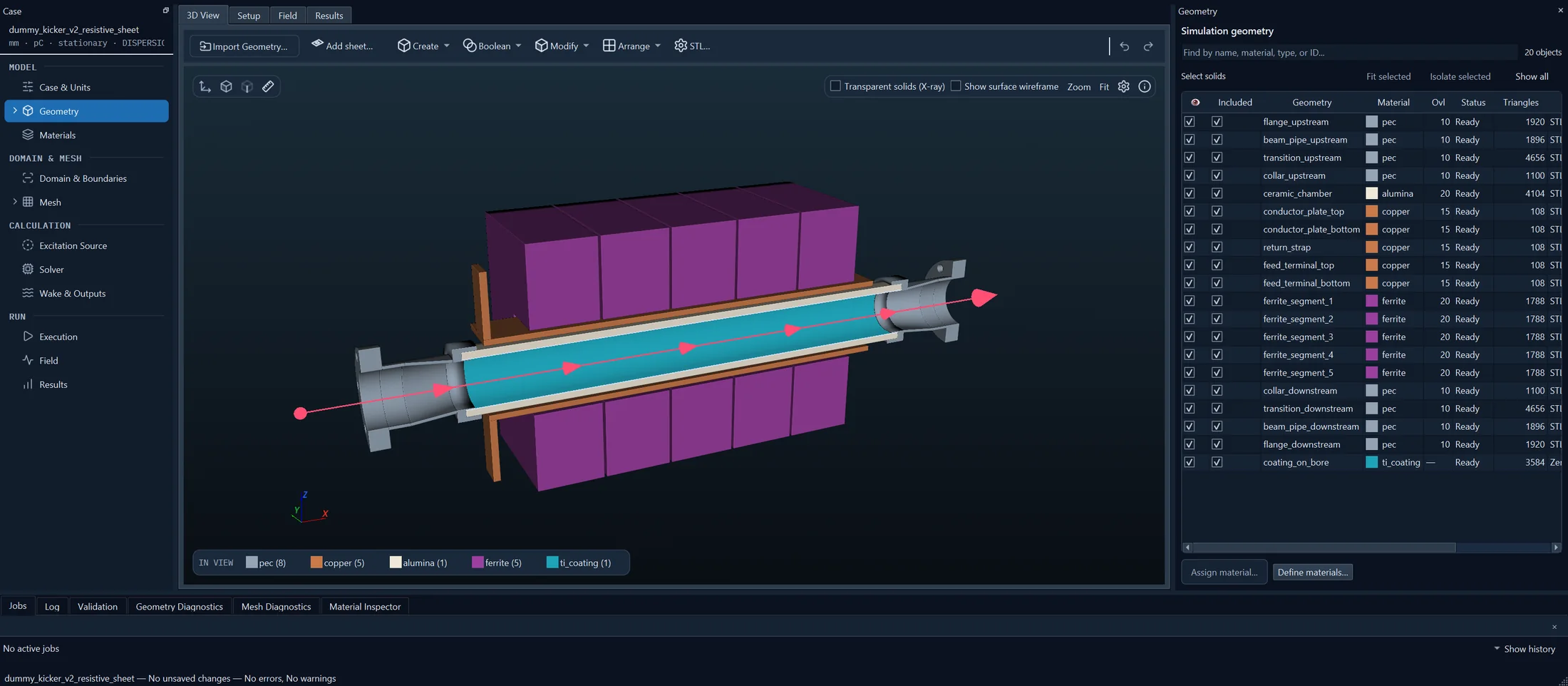
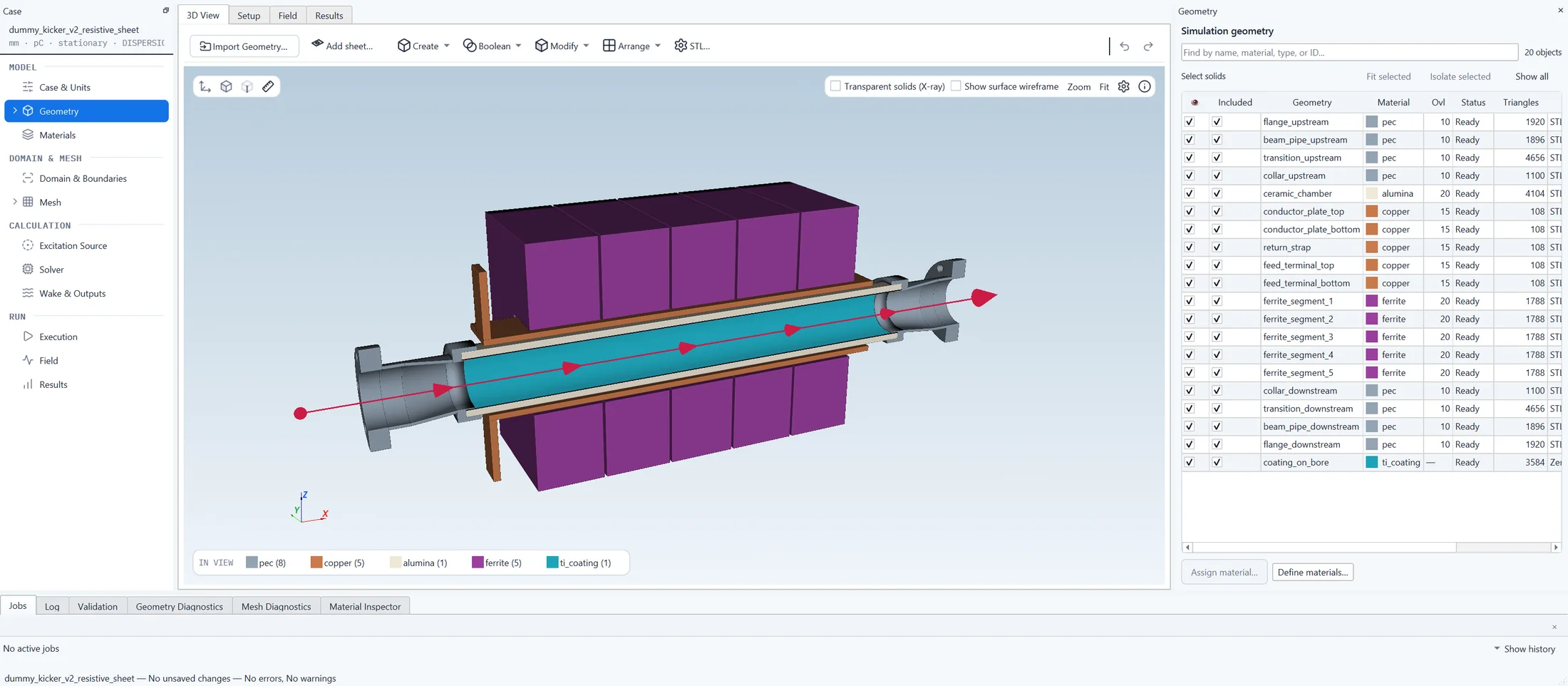
EMUZAG Studio, 3D view of a ferrite kicker model with the list of its twenty objects and their materials. EMUZAG Studio, 3D view of a ferrite kicker model with the list of its twenty objects and their materials.
A 3D project. A demonstration model of a ferrite kicker, cut at its symmetry plane, with its objects and their materials listed beside it.
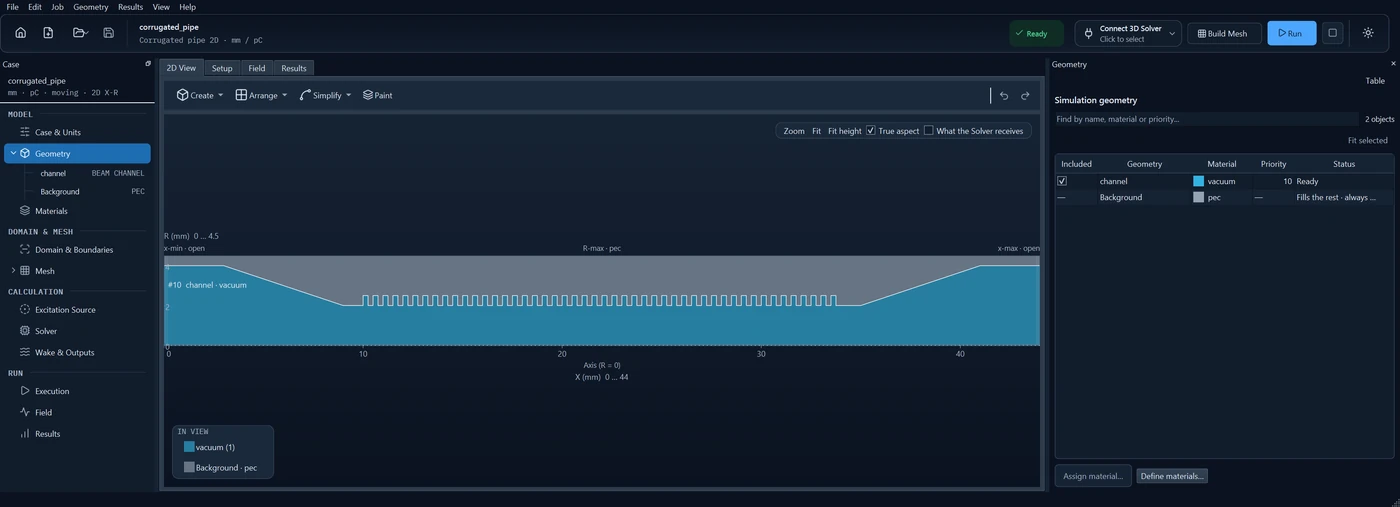
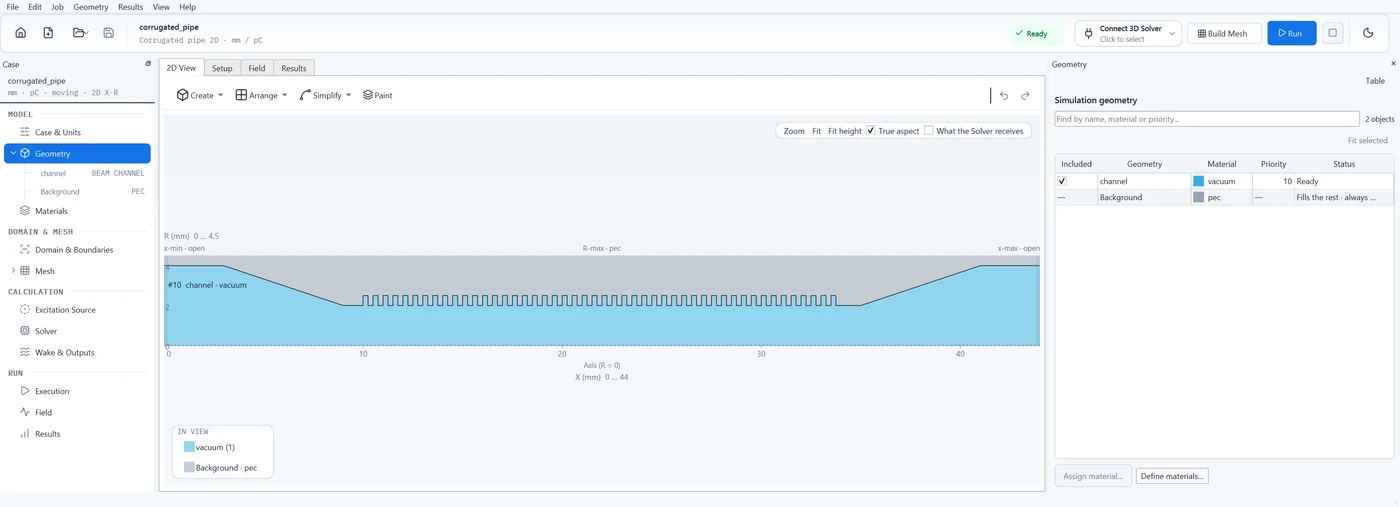
EMUZAG Studio with a 2D project: a round corrugated pipe in the plane of axis and radius at true proportions, with the list of its regions. EMUZAG Studio with a 2D project: a round corrugated pipe in the plane of axis and radius at true proportions, with the list of its regions.
A 2D project. A round corrugated pipe in the plane of axis and radius, drawn at its true proportions.

Materials

Vacuum, ideal metal, linear dielectric and magnetic media and bulk conductivity. Frequency-dependent ε and μ are entered as Lorentz poles, or as measured tables that are fitted to passive causal models.

Coatings and multilayer walls are described by thickness, conductivity, permittivity and permeability, without meshing the layer.
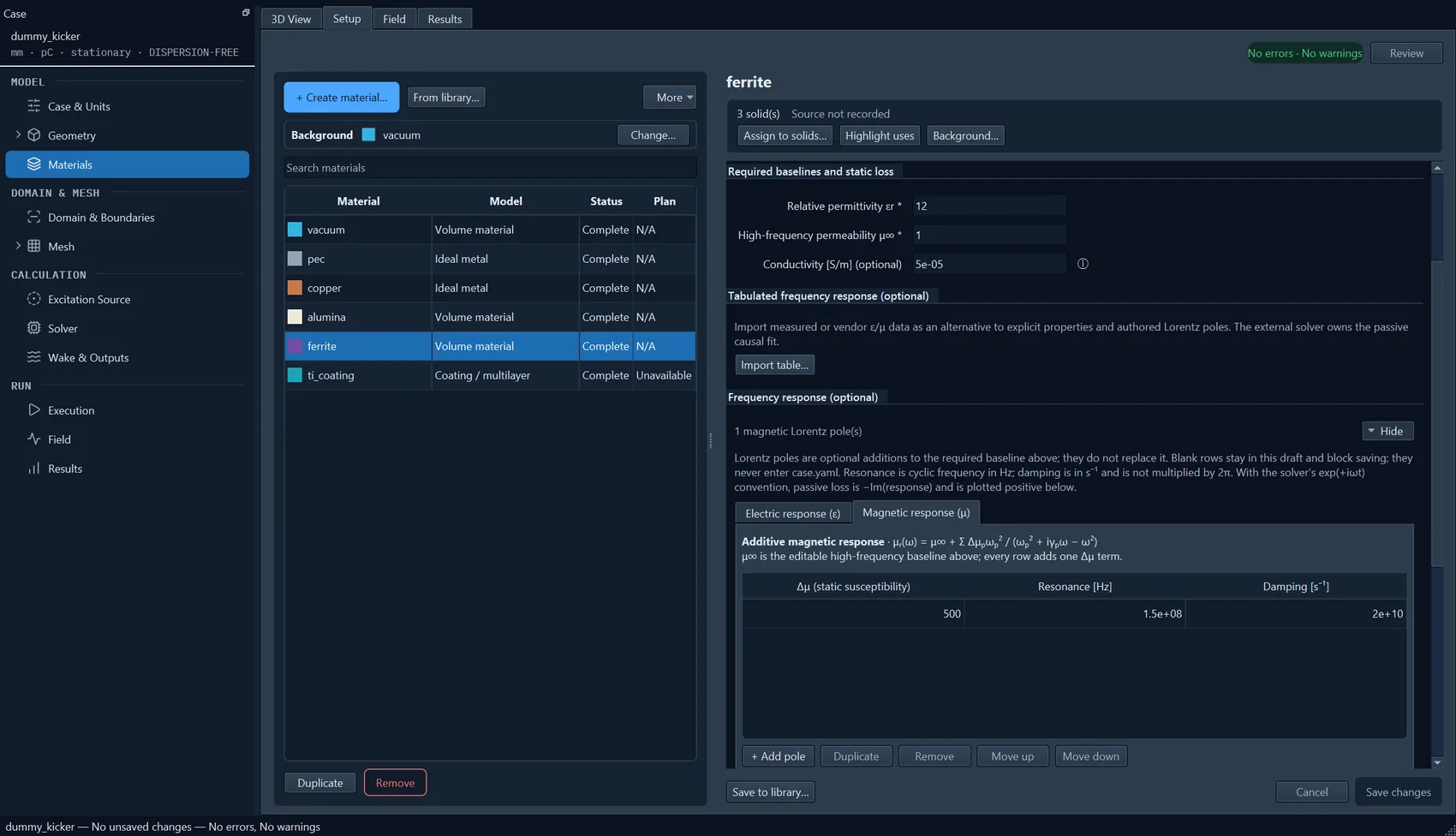
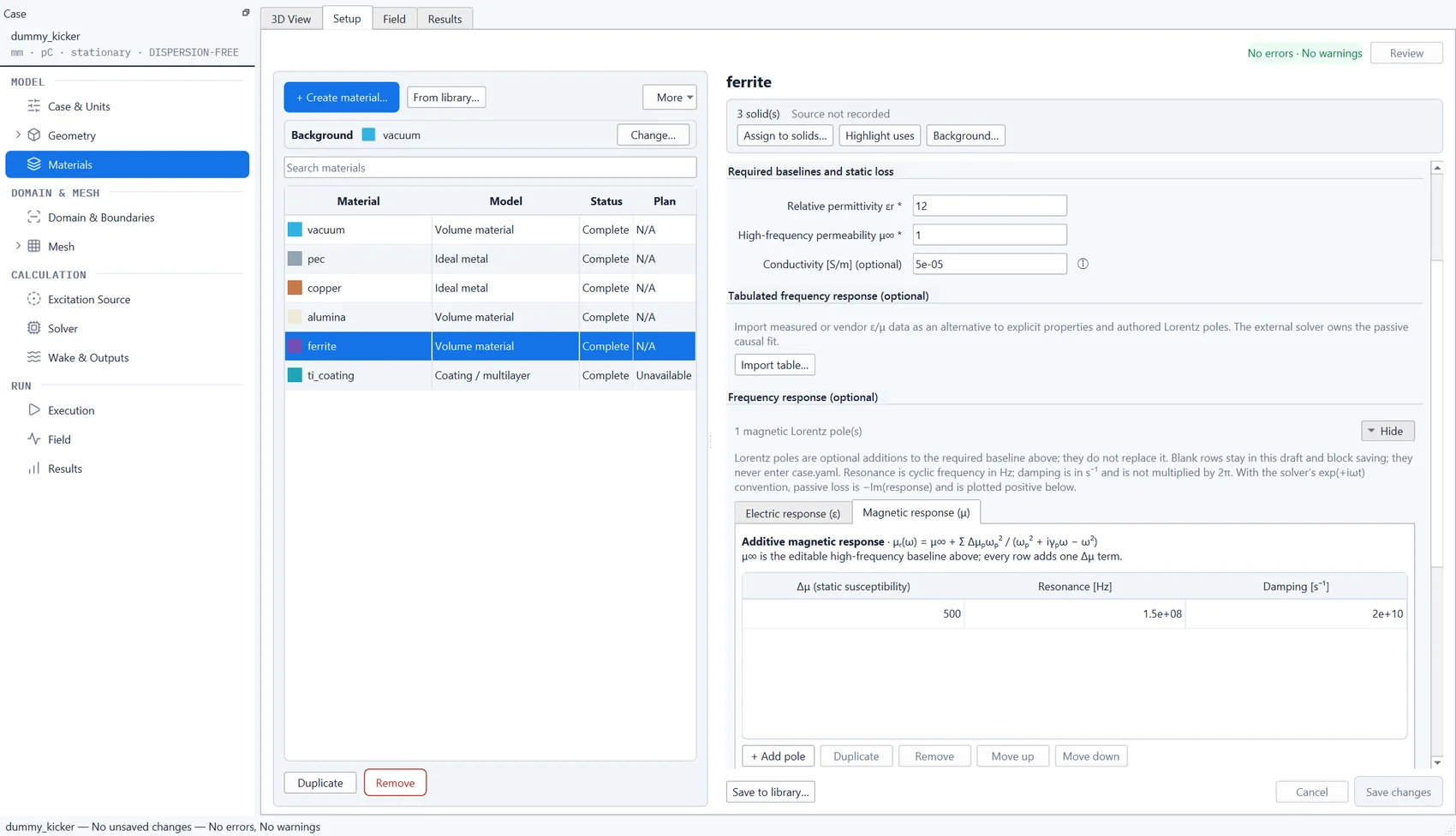
EMUZAG Studio, material editor: a ferrite with one magnetic Lorentz pole. EMUZAG Studio, material editor: a ferrite with one magnetic Lorentz pole.
A dispersive ferrite with one magnetic Lorentz pole.
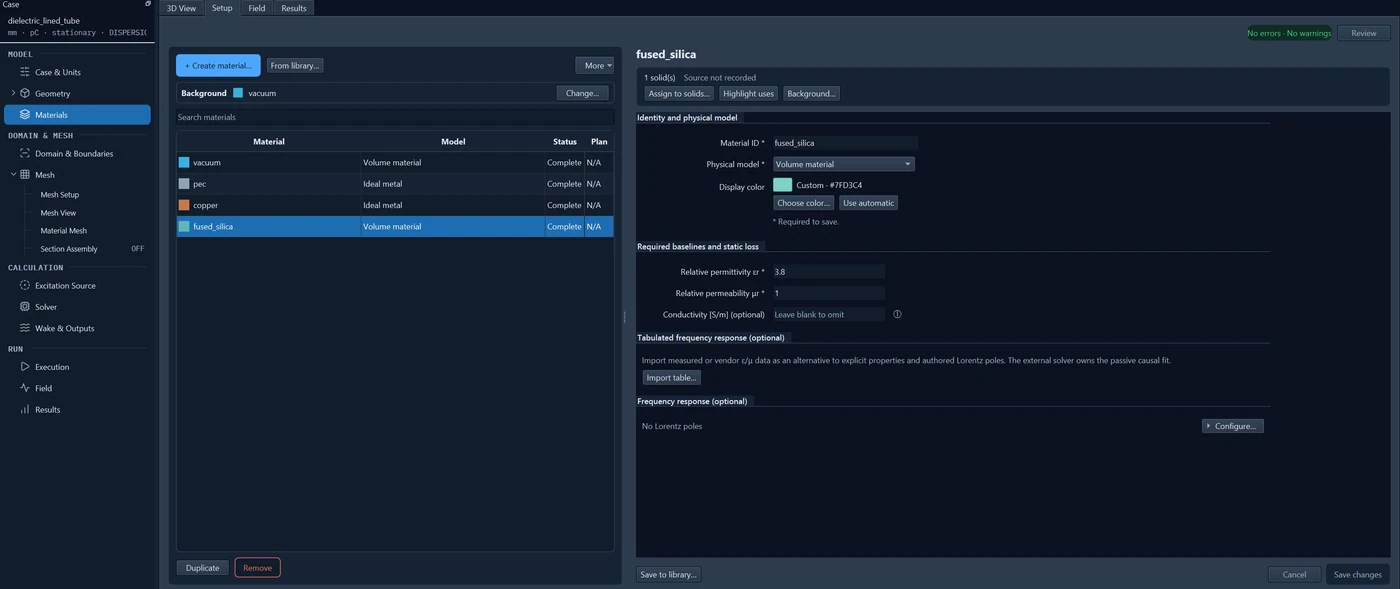
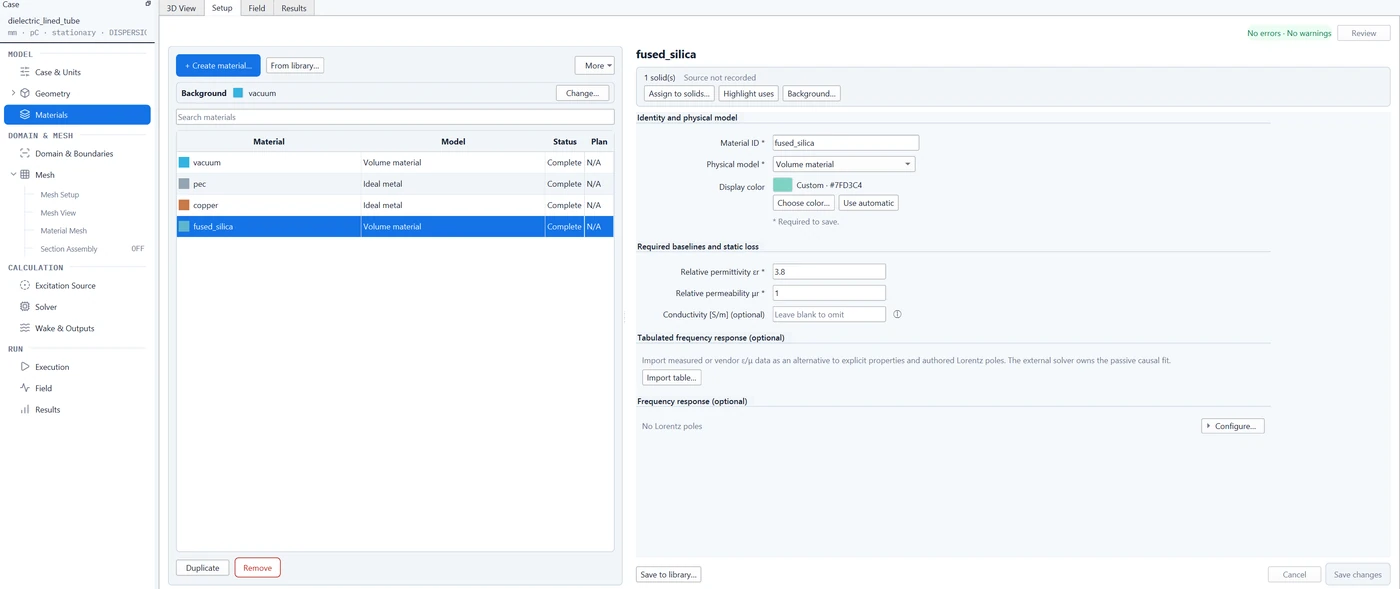
EMUZAG Studio, material editor: fused silica with a relative permittivity of 3.8. EMUZAG Studio, material editor: fused silica with a relative permittivity of 3.8.
A dielectric, fused silica, in a dielectric-lined tube.

Domain and boundaries

The boundary conditions the solvers support:

  • electric walls (PEC) and magnetic walls (PMC), which also serve as symmetry planes where geometry and source are compatible;
  • open boundaries with perfectly matched layers (PML), at the pipe ends and on the transverse faces;
  • walls of finite conductivity, coatings and resistive sheets through surface models, without meshing the wall;
  • in the 3D Solver, two waveguide ports for multimode S-parameters.

In the 2D Solver, PEC and PMC apply to the radial or transverse boundary and to the width of a planar model. In the 3D Solver a magnetic wall across the beam axis is not generally supported. Studio checks each combination before a run.
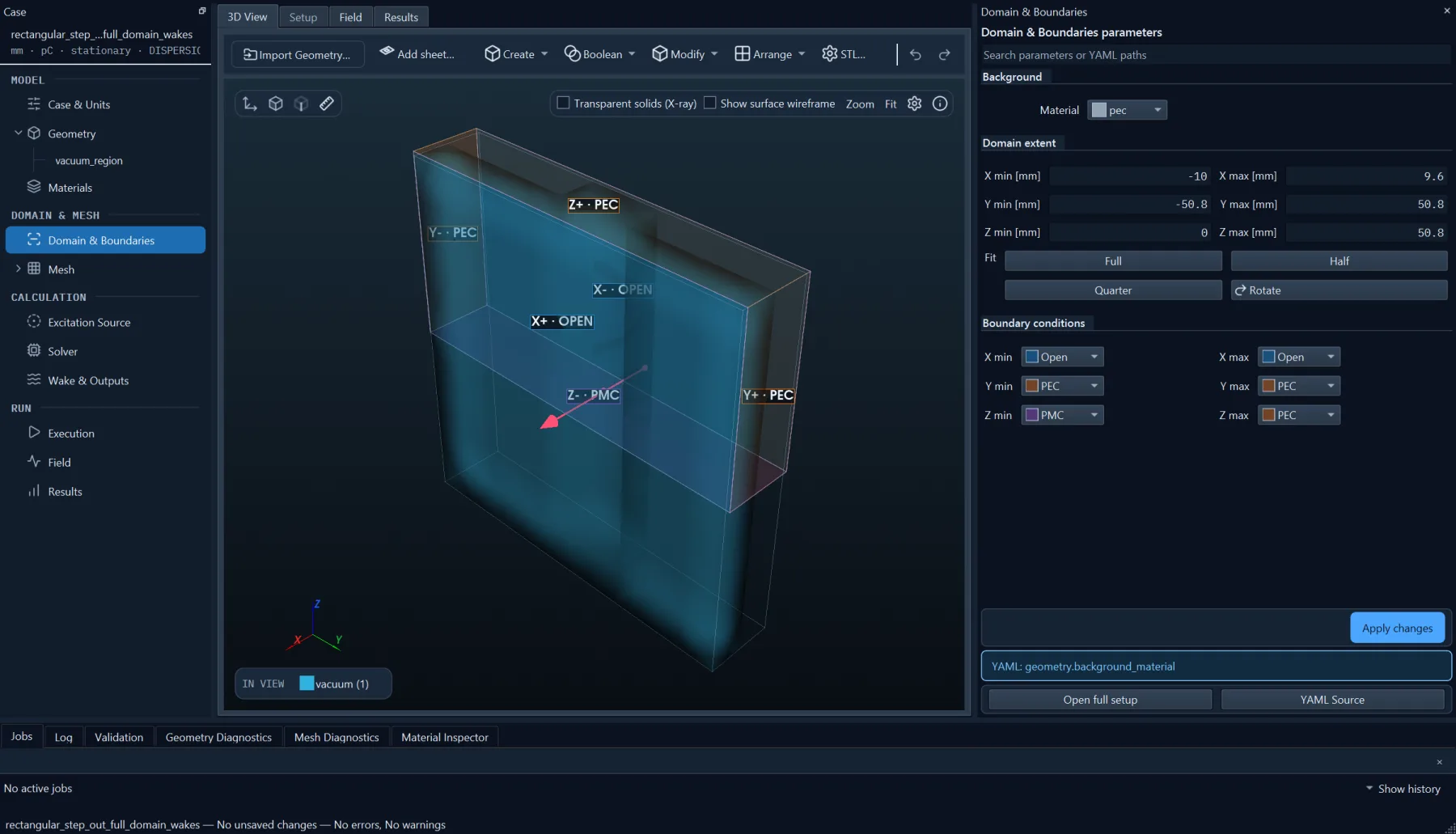
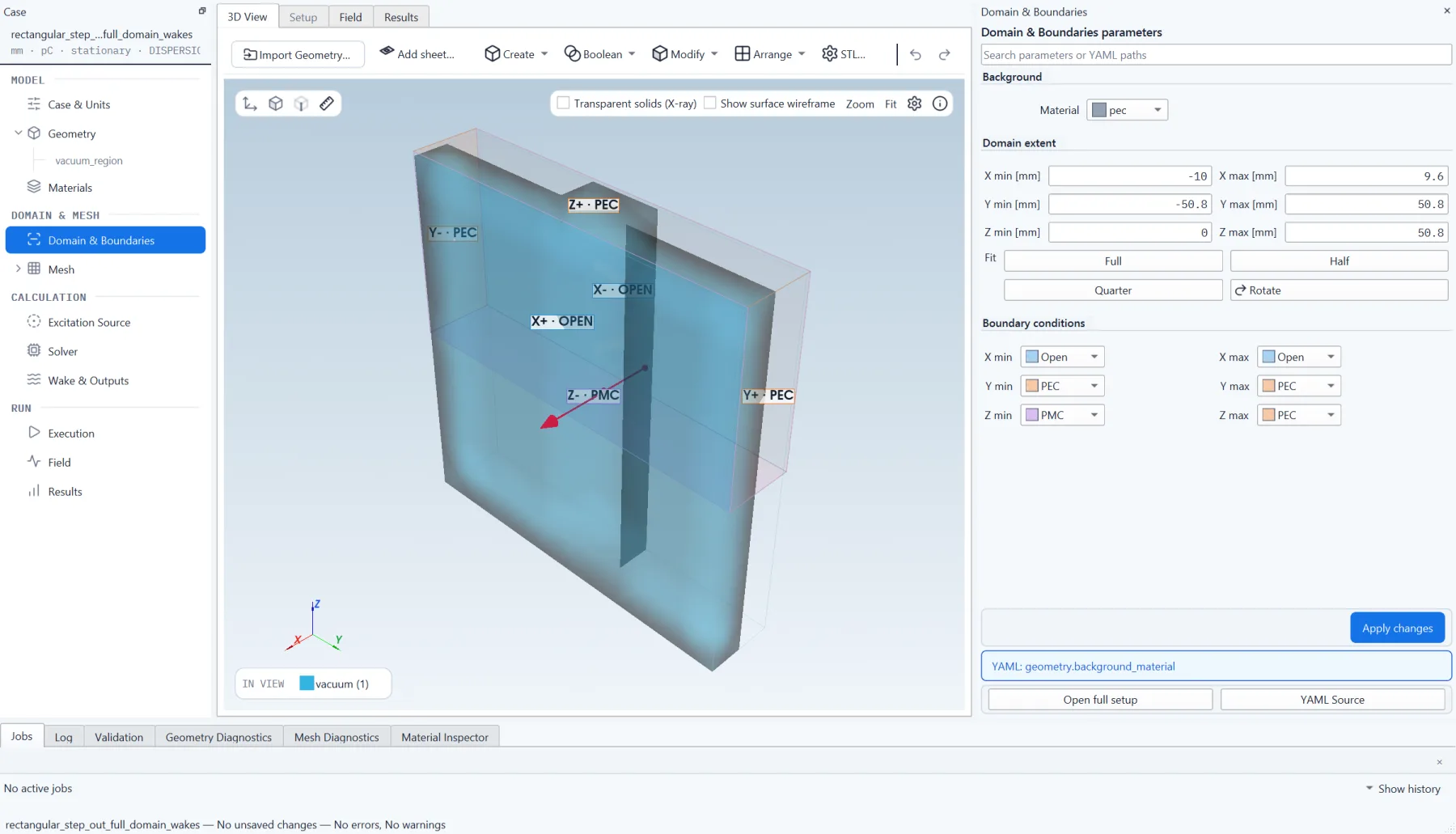
EMUZAG Studio, domain and boundaries of a rectangular step-out, with each face of the domain labelled open, electric or magnetic. EMUZAG Studio, domain and boundaries of a rectangular step-out, with each face of the domain labelled open, electric or magnetic.
A rectangular step-out: the condition on each face of the domain, labelled in the 3D view.

Mesh

The mesh is conformal and is shown before the run, with material colours per cell and the input geometry drawn over it.
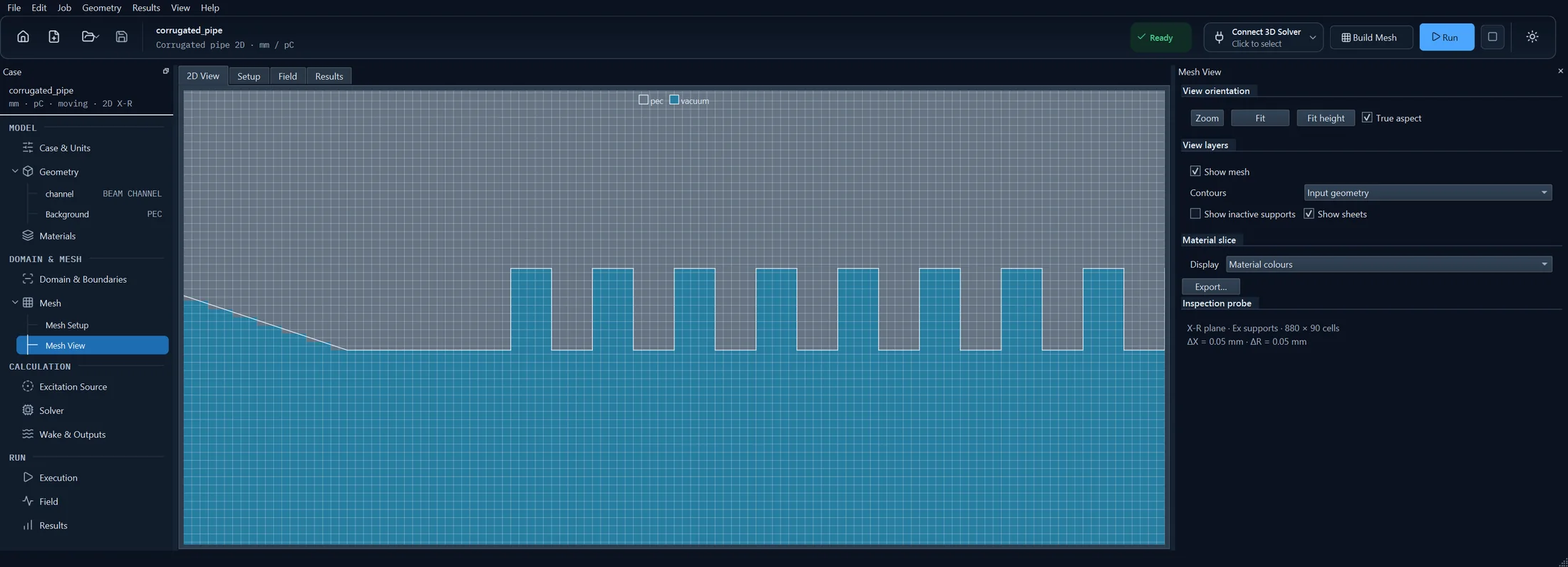
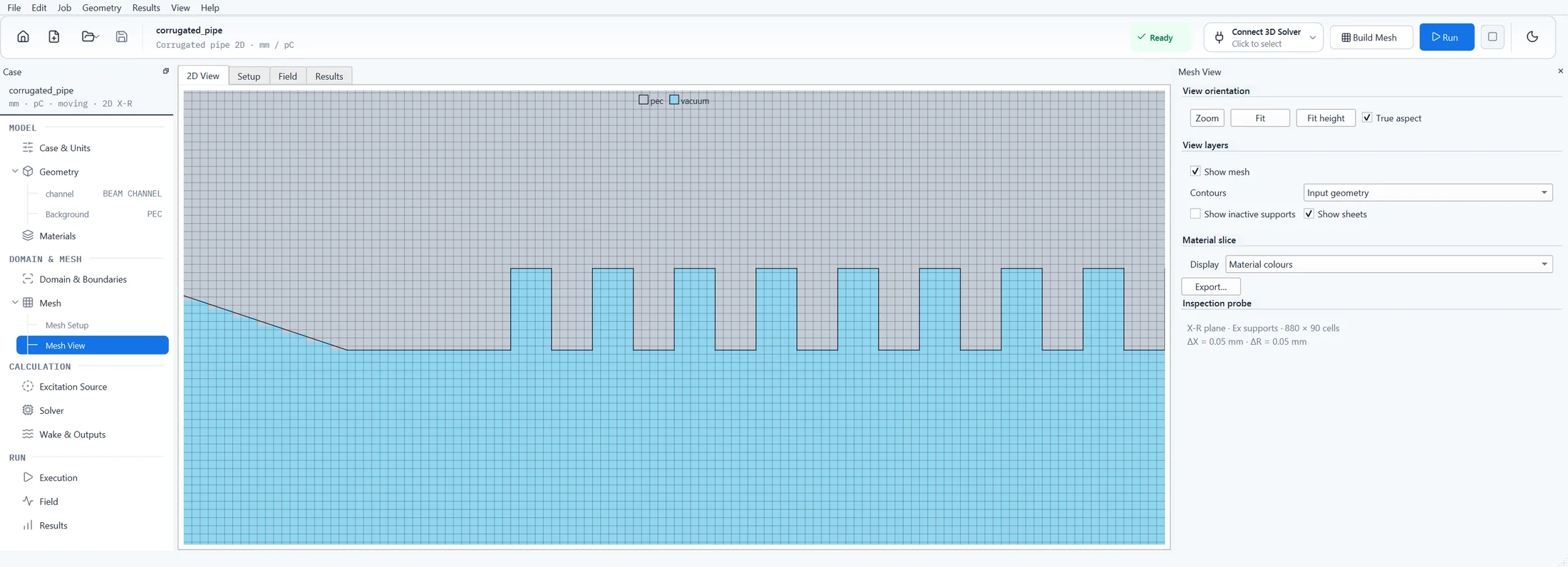
EMUZAG Studio, mesh view of a 2D project: the corrugated pipe with single cells visible in the grooves. EMUZAG Studio, mesh view of a 2D project: the corrugated pipe with single cells visible in the grooves.
2D mesh of the corrugated pipe: the grooves with their cells.

Run

Local runs, and for the 3D Solver also runs on Slurm clusters, with progress, stage timings and memory. Runs can be checkpointed and restarted.

While the solver steps, Studio shows the field. A moving window is a short mesh that travels with the bunch, so that only the field around and behind the bunch is computed.
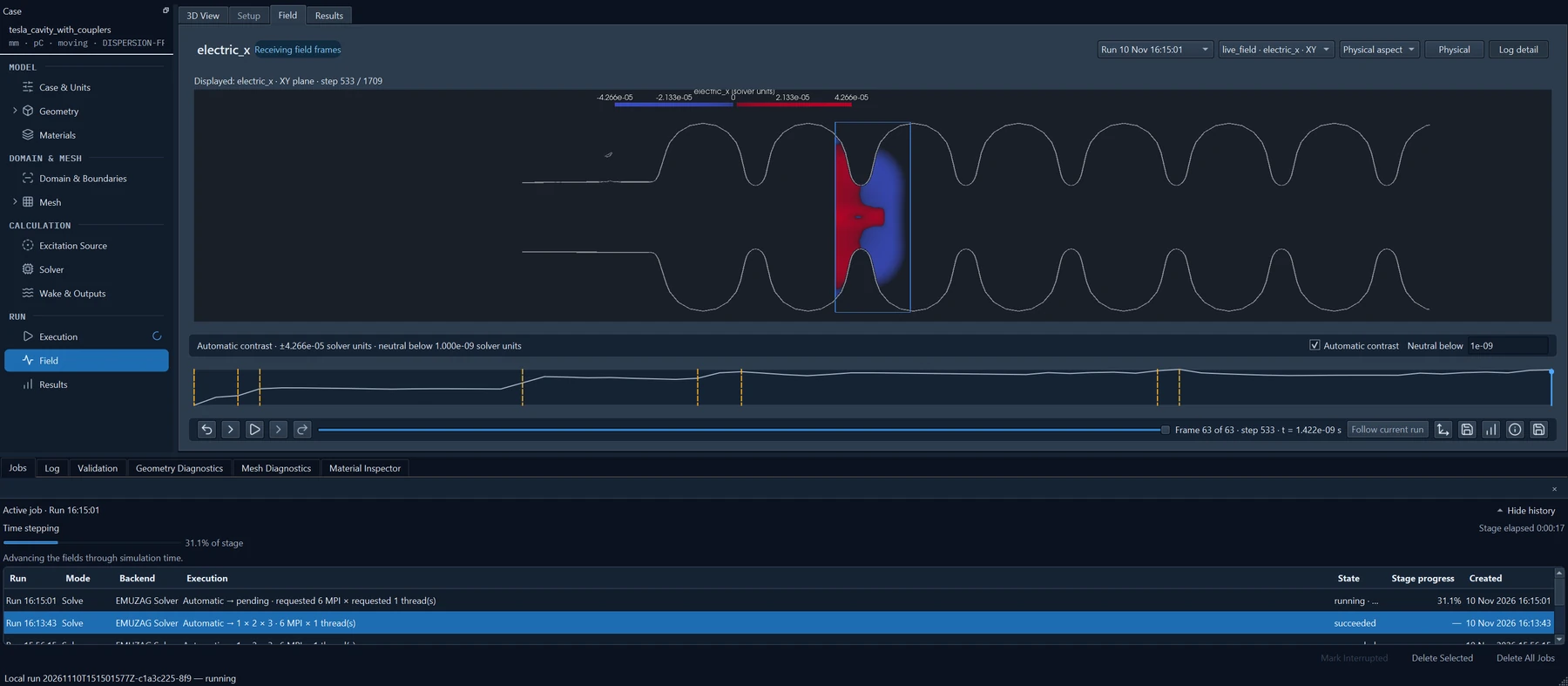
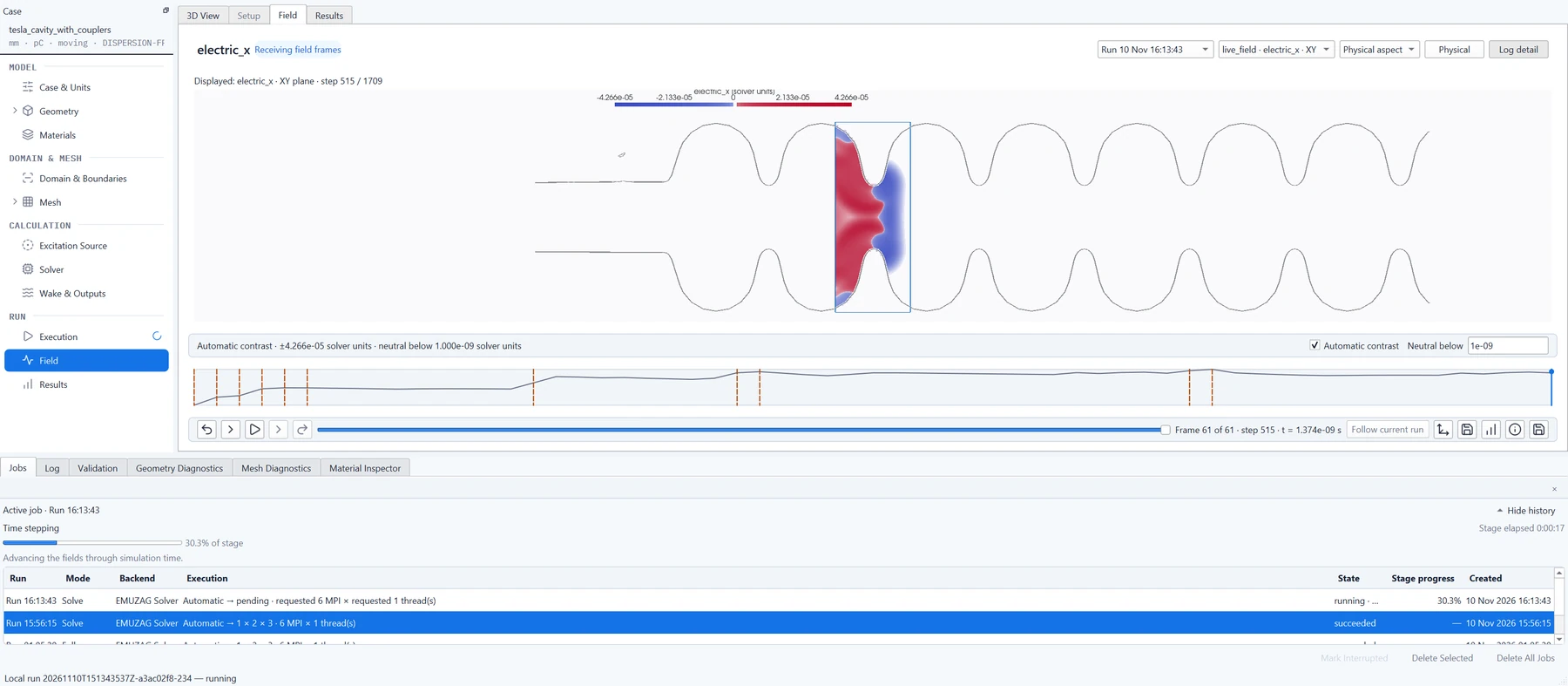
EMUZAG Studio during a run of the TESLA cavity: the field in the moving window inside the cavity outline at true proportions, above the job list with its progress. EMUZAG Studio during a run of the TESLA cavity: the field in the moving window inside the cavity outline at true proportions, above the job list with its progress.
The TESLA cavity during a moving-window run on 6 MPI processes of a desktop PC: the window in the cavity outline, the job list below.

Field playback

Recorded field slices are played back with the geometry overlay, in physical or log-detail colours.
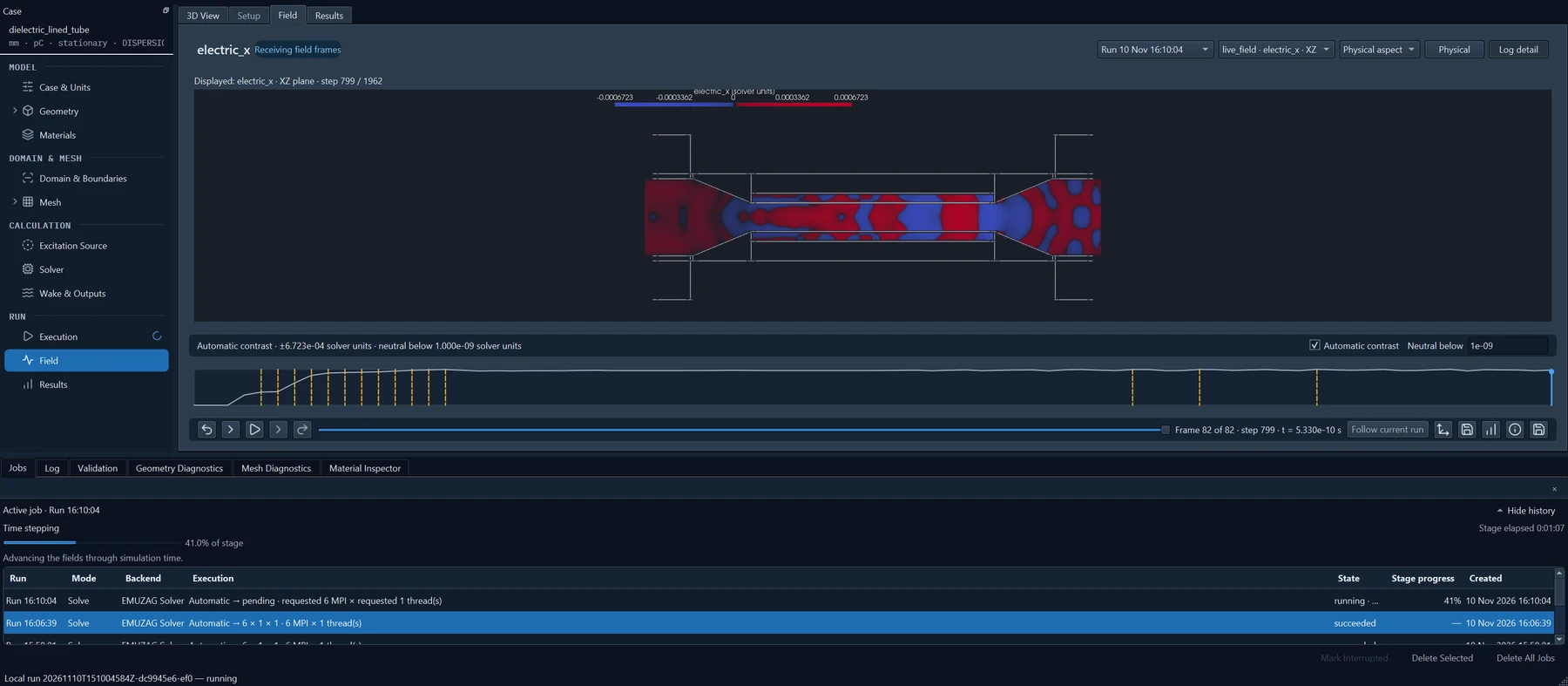
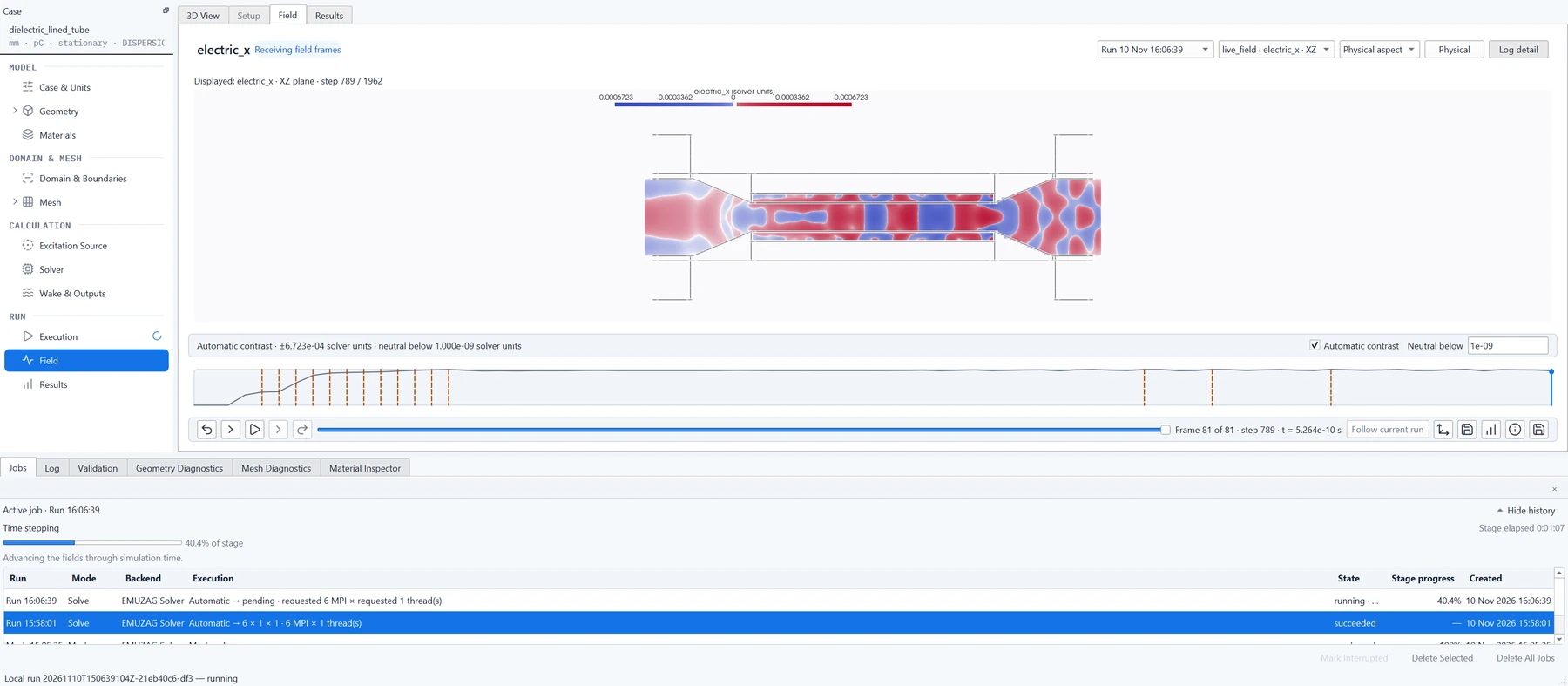
EMUZAG Studio, field view of a dielectric-lined tube: the longitudinal field on the plane through the axis, with the structure outline. EMUZAG Studio, field view of a dielectric-lined tube: the longitudinal field on the plane through the axis, with the structure outline.
A dielectric-lined tube: the field on the plane through the beam axis, inside the outline of the structure.

Post-processing in EMUZAG Studio

From the recorded results Studio computes and shows:

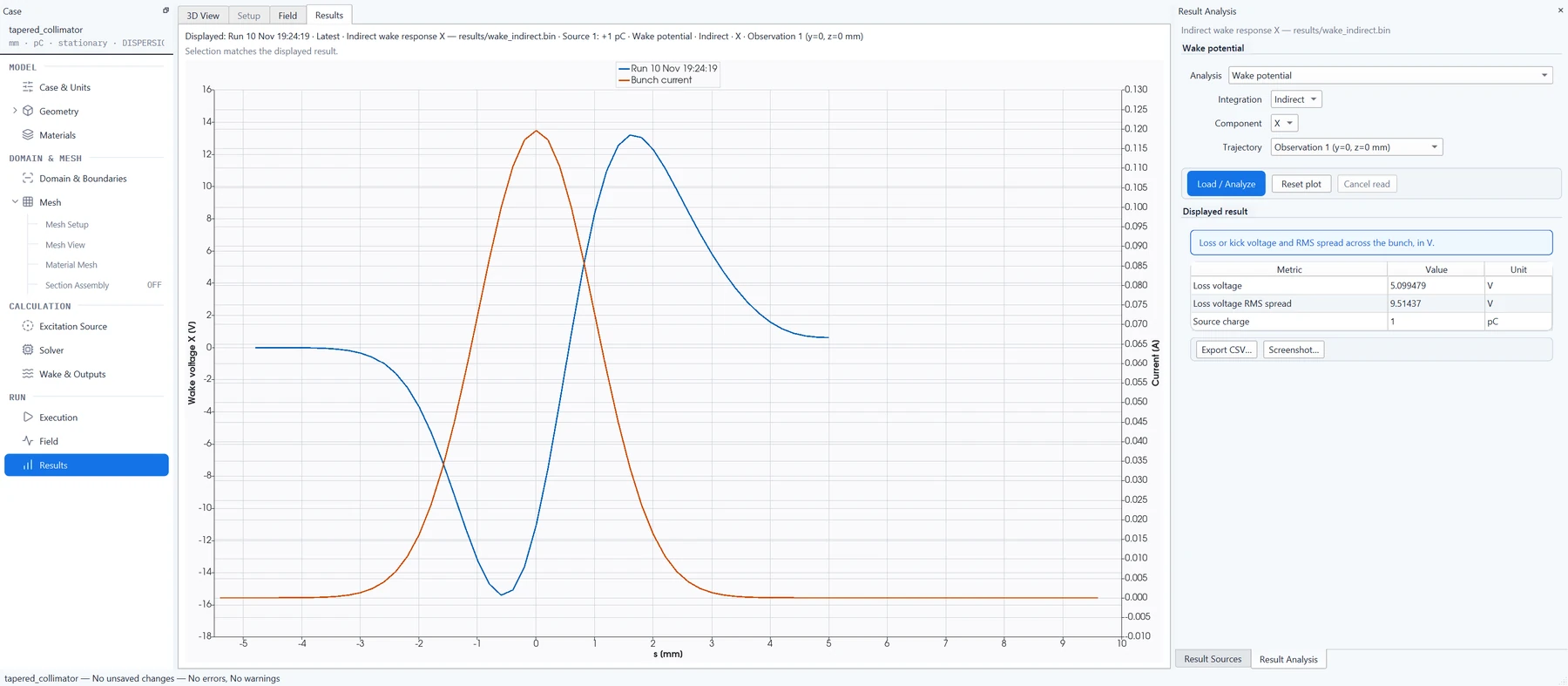
  • longitudinal and transverse wake potentials, with the bunch current overlaid;
  • loss and kick voltages and the RMS spread;
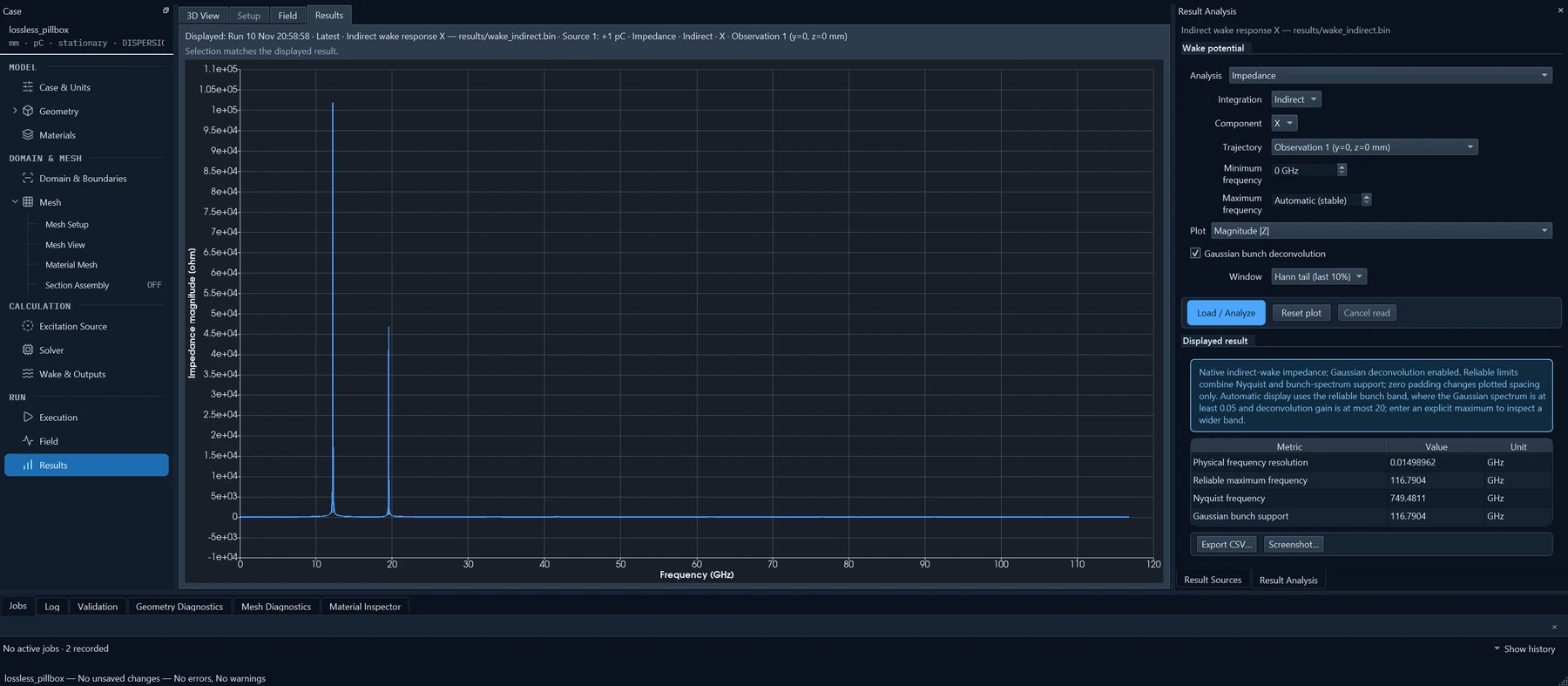
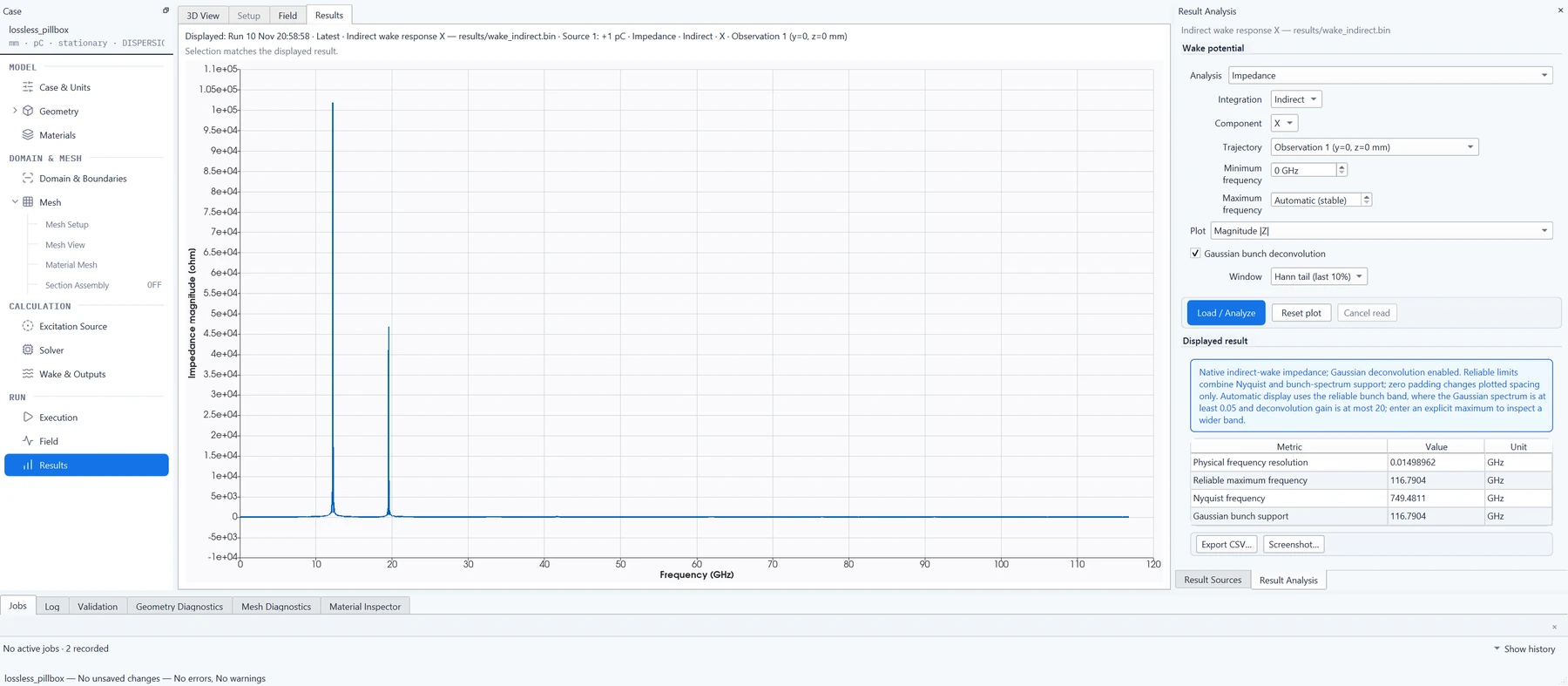
  • wake spectra and impedances, with windowing and the bunch spectrum divided out;
  • fits of damped resonances to the wake tail, with frequencies and loaded Q;
  • material power loss and cumulative loss, per material and per mechanism;
  • for 2D runs, wakes at new source and witness offsets from the saved modal coefficients;
  • two-port S-parameters of the 3D Solver;
  • exports as CSV and as images of plots and fields.

Completed results can be reopened without repeating the calculation.
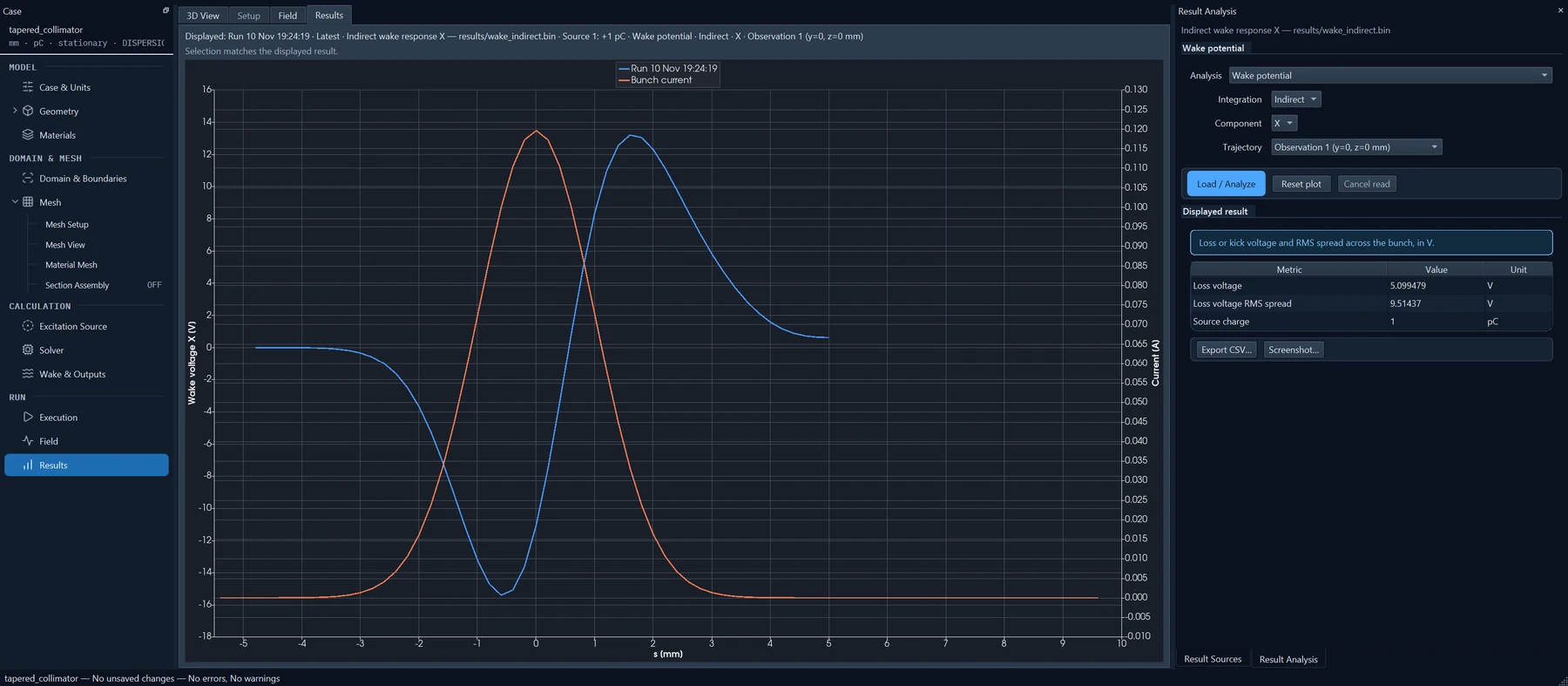
EMUZAG Studio, results: the longitudinal wake potential of the tapered collimator with the bunch current, and the loss voltage and its RMS spread beside the plot. EMUZAG Studio, results: the longitudinal wake potential of the tapered collimator with the bunch current, and the loss voltage and its RMS spread beside the plot.
Wake potential of the tapered collimator with the bunch current; the loss voltage and its RMS spread are listed beside the plot.
EMUZAG Studio, results: the longitudinal impedance of a lossless pillbox cavity, with sharp peaks near 12 and 19.5 GHz. EMUZAG Studio, results: the longitudinal impedance of a lossless pillbox cavity, with sharp peaks near 12 and 19.5 GHz.
Impedance of a pillbox cavity with ideal walls, from a 20 m wake of a 1 mm bunch: sharp peaks near 12 and 19.5 GHz, the modes below the beam-pipe cutoff.

Where it runs

Windows x64, macOS on Apple Silicon and Linux. On a PC the 2D Solver runs with OpenMP threads, the 3D Solver with MPI processes, OpenMP threads or both.

On a Linux cluster Studio runs on a graphical node, with the system OpenGL driver or with CPU rendering where no GPU driver works, and sends 3D jobs to Slurm. Cluster packages are prepared for specific sites.